In today’s digital-first world, having a strong online presence is no longer optional – it’s essential. Whether you’re an aspiring blogger, entrepreneur, or someone looking to build a career in web development, learning WordPress can open doors to countless opportunities. As the most widely used content management system (CMS) globally, WordPress powers over 40% of all websites on the internet.
What is WordPress?
WordPress is the world’s most popular content management system (CMS), powering more than 43% of all websites on the internet. From personal blogs to large-scale eCommerce stores and even custom web applications, WordPress offers unmatched flexibility and scalability.
At its core, WordPress is open-source software, meaning it’s free to use and its source code is publicly available for anyone to study, modify, and improve. You can download it without cost and start building your website right away. While hosting and premium themes or plugins may add some expenses, WordPress.com even allows beginners to create a blog or simple website for free.
What makes WordPress truly powerful is its versatility. You can use it to:
-
Launch a blog or portfolio
-
Build a business or corporate website
-
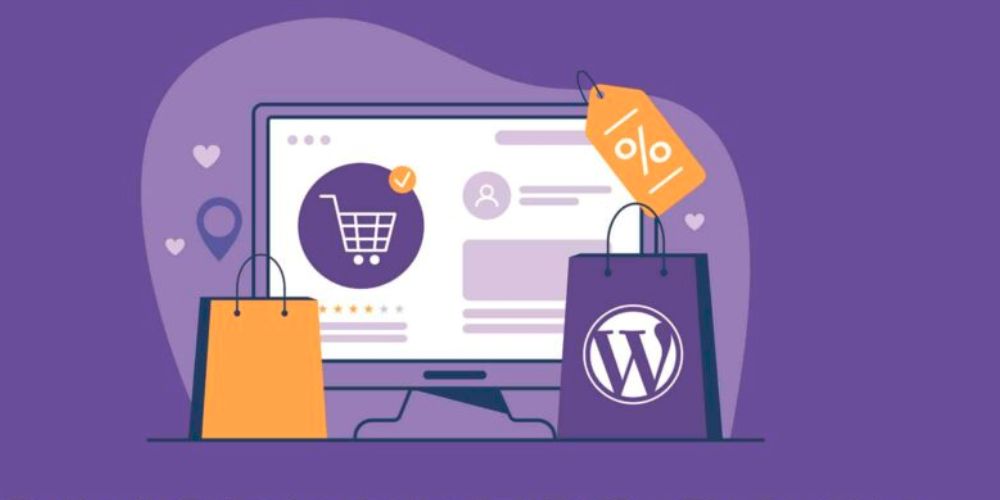
Create an eCommerce store with WooCommerce
-
Develop online courses and membership sites
-
Even design applications and custom platforms
Whether you’re an entrepreneur, a developer, or someone simply looking to establish a digital presence, WordPress provides the tools, community support, and endless customization options to bring your vision online.
But the real question is: Why should you learn WordPress? Let’s explore the top reasons that make mastering this platform a valuable skill for both personal and professional growth.
1. WordPress is Beginner-Friendly Yet Powerful
One of the biggest advantages of WordPress is its simplicity. Even if you have no prior coding experience, you can easily set up and manage a website using its intuitive interface. At the same time, advanced users and developers can unlock its full potential with custom themes, plugins, and coding flexibility.
2. Build Any Type of Website
WordPress isn’t just for blogs. By learning WordPress, you can create:
-
Business websites
-
eCommerce stores
-
Portfolios
-
Membership sites
-
Online learning platforms
-
News and magazine websites
Its versatility makes it the go-to choice for individuals and businesses alike.
3. Cost-Effective Solution
Unlike other platforms that require expensive licenses, WordPress is open-source and free to use. By learning how to use it, you can cut down on development costs, manage your own site, and even help others with their projects.
4. Boost Your Career Opportunities
The demand for skilled WordPress developers and website managers continues to grow. By learning WordPress, you can:
-
Offer freelance web development services
-
Build and sell custom themes or plugins
-
Work as a website manager for companies
-
Start your own digital agency
It’s a valuable skill that can help you earn a steady income online.
5. SEO-Friendly by Design
WordPress is known for its SEO-friendly structure. When you learn how to optimize content, configure plugins like Yoast SEO, and improve website performance, you gain the ability to rank websites higher on Google. This makes your skills even more valuable in the digital marketing space.
6. Full Control Over Your Website
Learning WordPress means you’re not fully dependent on a developer for every small change. You can manage updates, publish content, and customize your site exactly the way you want—saving time and money.
7. Join a Global Community
With millions of users worldwide, WordPress has one of the largest support communities. From forums to tutorials and events like WordCamps, you’ll always find resources and experts willing to help you grow.
Using WordPress Knowledge in a Design Career
Learning WordPress doesn’t just prepare you to build websites—it can also open the door to a wide range of opportunities in the digital design field. The WordPress editor acts like a blank digital canvas, encouraging you to experiment with layouts, colors, typography, and user-friendly navigation. In doing so, you naturally develop design skills that go far beyond basic website building.
A strong foundation in WordPress can help you transition into roles such as web designer, where creativity is just as important as technical know-how. Understanding what WordPress makes possible—especially for mobile-first, responsive design—gives you an edge when crafting websites that look professional across devices.
From there, you can explore specialized areas of design, including:
-
Web Design – Creating visually appealing, functional websites.
-
UI (User Interface) Design – Focusing on layout and usability for a seamless digital experience.
-
UX (User Experience) Design – Understanding how users interact with websites to optimize flow and engagement.
For aspiring professionals, pairing WordPress knowledge with formal training—such as a web design certificate program or a UI/UX design bootcamp—can take your skills to the next level. By blending technical expertise with creative vision, you position yourself as a versatile designer ready for today’s competitive digital landscape.
Open Your Own Online Store with WooCommerce
WordPress isn’t just a tool for blogs or business websites—it can also be the foundation of your very own online store. Thanks to WooCommerce, WordPress’s powerful eCommerce plugin, entrepreneurs and small business owners can easily build a fully functional online shop without needing advanced technical skills.
For those who prefer a hands-on approach, learning WordPress and WooCommerce can be a game-changer. Instead of paying high costs to hire developers, you can design and manage your store yourself, keeping expenses low while maintaining complete creative control.
WooCommerce offers a wide range of features and plugins that allow you to:
-
Sell physical or digital products
-
Manage inventory and orders with ease
-
Accept multiple payment methods and currencies
-
Set up restaurant ordering systems
-
Handle hotel bookings or appointment scheduling
-
Customize your store with countless extensions for marketing, shipping, and customer engagement
The best part? You don’t need to know how to code. WordPress and WooCommerce’s drag-and-drop functionality, combined with pre-built themes, make it simple to run even a medium-sized business online. With just WordPress skills (and maybe a little Excel), you can launch, manage, and grow your store—all while offering customers a professional shopping experience.
How to Start Learning WordPress?
If you’re looking to build a career in web development, start your own blog, or launch an online business, learning WordPress is one of the smartest moves you can make. WordPress powers more than 40% of the internet, and its flexibility makes it an essential skill for anyone interested in websites, blogging, or eCommerce.
But where should you begin? Here’s a step-by-step guide to help you start learning WordPress the right way.
1. Understand What WordPress Is
Before diving in, it’s important to know the difference between WordPress.org (self-hosted, full control) and WordPress.com (hosted, limited customization). For beginners, WordPress.com is a quick way to start. But if you want complete flexibility, WordPress.org is the better choice.
2. Learn the Basics
Start with the fundamentals:
-
How to install WordPress
-
Using the dashboard
-
Choosing and customizing a theme
-
Installing plugins for extra functionality
-
Creating and publishing posts and pages
These basics will give you the foundation to build and manage your own website.
3. Practice by Building a Website
The best way to learn is by doing. Set up a test site where you can experiment with themes, plugins, and design. Don’t worry about making mistakes—every change teaches you something new.
4. Explore Advanced Features
Once you’re comfortable, move on to advanced skills like:
-
Customizing themes with CSS
-
Working with page builders (like Elementor or Gutenberg)
-
Optimizing for SEO
-
Managing website security and backups
-
Setting up WooCommerce for eCommerce
5. Join Classes and Training Programs
Self-learning is great, but structured training can speed up your progress. Ajitweb offers both online and offline WordPress classes, making it easier for beginners and professionals to master the platform step by step. With guided lessons, practical projects, and expert mentoring, you’ll gain the confidence to create fully functional websites.
6. Stay Updated
WordPress is constantly evolving with new updates, plugins, and design trends. Keep learning through blogs, YouTube tutorials, online forums, and practice projects.
Final Thoughts
Starting with WordPress doesn’t require any prior coding knowledge—it’s designed to be beginner-friendly while still offering depth for advanced users. By combining self-practice with professional training from Ajitweb, you can quickly master the skills needed to create websites, blogs, or even online stores.
Whether you want to grow your career, start freelancing, or launch your own business, learning WordPress is the first step to building your digital future.