
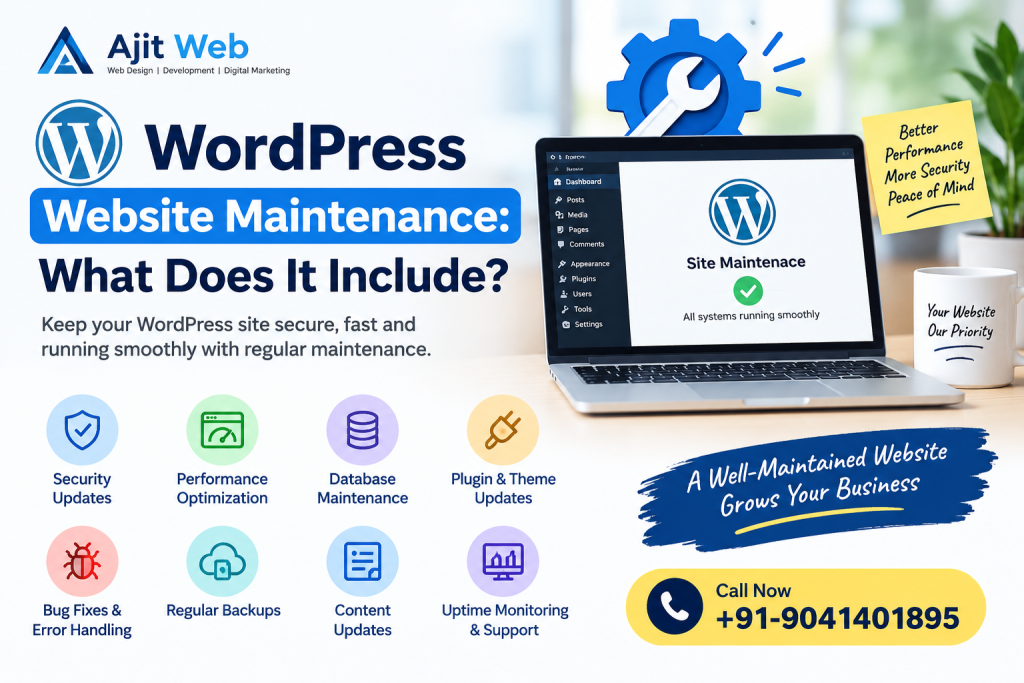
Creating a WordPress website is only the first step in building your online presence. Once your website is live, it needs regular care to keep it secure, fast, updated and working properly.
Many business owners focus on website design and development but forget about maintenance. Over time, an outdated website may experience security issues, slow loading speeds, broken links, plugin conflicts or unexpected errors.
This is why WordPress website maintenance is important for every business website.
Regular maintenance helps keep your website running smoothly, protects important data and provides a better experience for visitors.
In this guide, we will explain what WordPress website maintenance includes, why it is important, how often it should be performed and when you should consider professional WordPress support.
What Is WordPress Website Maintenance?
WordPress website maintenance is the regular process of checking, updating, securing and improving your website to make sure everything works properly.
It involves several technical and general website management tasks, such as:
- Updating WordPress software, themes and plugins.
- Taking regular website backups.
- Checking website security.
- Improving website loading speed.
- Fixing broken links and website errors.
- Cleaning and optimising the database.
- Checking contact forms and website functionality.
- Monitoring website performance.
- Updating website content when required.
For example, imagine you have a business website where customers submit enquiries through a contact form. If the form stops working, you may miss important customer enquiries without even knowing about it.
Regular website maintenance helps identify these problems and fix them before they affect your business.
12 Important WordPress Website Maintenance Tasks
A professional WordPress maintenance process covers different areas of your website. Let’s understand the most important tasks.
1. WordPress Core, Theme and Plugin Updates
Keeping WordPress updated is one of the most important maintenance activities.
WordPress regularly releases updates to improve security, fix bugs and introduce new features. Themes and plugins also receive updates from their developers.
Running outdated software may create compatibility problems and security risks.
Regular WordPress updates include:
- WordPress core updates.
- Theme updates.
- Plugin updates.
- PHP compatibility checks.
- Testing important website features after updates.
Before installing major updates, it is important to create a backup and check whether your existing themes and plugins are compatible.
This helps reduce the risk of website errors after an update.
2. Regular Website Backups
What would happen if your website suddenly stopped working or important data was lost?
Without a recent backup, restoring your website could become difficult.
A website backup is a copy of your website files and database that can be used to restore the website when required.
A complete WordPress backup generally includes:
- WordPress core files.
- Themes and plugins.
- Images and uploaded files.
- Website database.
- Posts and pages.
- Website settings and configurations.
The backup frequency depends on how often your website changes.
For example, an online store receiving orders every day may need daily backups, while a simple business website may follow a different schedule.
It is also important to store backups securely and test the restoration process periodically.
3. WordPress Website Security
Website security should never be ignored.
WordPress websites can face security risks because of outdated plugins, weak passwords, vulnerable themes and suspicious login attempts.
Regular security maintenance helps identify potential problems and protect your website.
Important security activities include:
- Keeping WordPress and plugins updated.
- Using strong administrator passwords.
- Enabling two-factor authentication where appropriate.
- Checking suspicious login activity.
- Scanning for malware.
- Removing unused themes and plugins.
- Reviewing administrator accounts and user permissions.
- Maintaining a valid SSL certificate.
If your website collects customer information or accepts online payments, security checks become even more important.
Remember that no website can be guaranteed completely secure, but regular monitoring and good security practices help reduce risks.
4. Website Speed Optimisation
Website loading speed is important for both visitors and website performance.
People generally prefer websites that load quickly and allow them to find information without waiting.
A slow WordPress website may be caused by large images, unnecessary plugins, poor hosting performance, excessive scripts or incorrect caching settings.
Website speed maintenance may include:
- Image compression and optimisation.
- Browser and server-side caching.
- Removing unnecessary plugins.
- Optimising CSS and JavaScript.
- Reviewing database performance.
- Checking hosting response times.
- Monitoring Core Web Vitals.
- Improving mobile performance.
For example, if your homepage contains large images, optimising them can reduce page size and help the website load more efficiently.
It is always better to check website performance before making changes so that improvements can be measured.
5. Broken Links and Website Error Checking
Broken links can create a poor experience for website visitors.
When someone clicks a link and reaches a missing page, they may leave your website without finding the information they need.
Regular maintenance should include checking:
- Broken internal links.
- Missing pages and 404 errors.
- Incorrect redirects.
- Broken images.
- Contact forms.
- Navigation menus.
- Important buttons.
- Website links and calls to action.
For business websites, contact forms and enquiry buttons should receive special attention.
For ecommerce websites, product pages, shopping carts, checkout systems and payment processes should also be tested.
6. WordPress Database Cleaning and Optimisation
WordPress stores website content, settings and other important information in a database.
Over time, the database may collect unnecessary records that are no longer required.
Database maintenance may include:
- Removing spam comments.
- Reviewing old post revisions.
- Cleaning expired temporary records.
- Checking database health.
- Optimising database tables when necessary.
Database cleaning should always be performed carefully.
Before removing database records, take a complete backup. Removing information without understanding its purpose may affect website functionality.
The aim is to keep the database organised and healthy without deleting important information.
7. Website Content and Image Updates
Website maintenance is not limited to technical work.
Your website content should also remain accurate and useful.
For example, if your business changes its phone number, introduces a new service or updates its working hours, the website should reflect those changes.
Content maintenance may include:
- Updating service descriptions.
- Changing outdated contact information.
- Adding new products and services.
- Replacing old images.
- Updating business hours and pricing.
- Correcting spelling and formatting errors.
- Reviewing older blog articles.
- Updating important website pages.
Fresh and accurate information helps visitors understand your business and find the services they need.
8. SEO Health Checks
Website maintenance also supports your ongoing SEO activities.
Technical problems such as broken links, missing metadata, incorrect indexing settings and sitemap issues can affect how search engines discover and understand your website.
Regular SEO health checks may include:
- Reviewing page titles and meta descriptions.
- Checking heading structures.
- Monitoring XML sitemap availability.
- Checking robots.txt settings.
- Reviewing Google Search Console reports.
- Identifying broken internal links.
- Checking canonical tags.
- Reviewing mobile usability.
- Monitoring Core Web Vitals.
- Updating outdated content when useful.
For local businesses, it is also important to keep business information, service pages and contact details accurate.
Remember, technical maintenance alone cannot guarantee higher Google rankings. Good content, relevant keywords, quality backlinks and a complete SEO strategy are also important.
9. Website Uptime Monitoring
Your website should be available when customers want to visit it.
Uptime monitoring helps check whether your website is accessible and responding properly.
If your website becomes unavailable, monitoring tools can help identify the problem sooner.
Uptime maintenance may include:
- Checking website availability.
- Monitoring server-related errors.
- Checking SSL certificate status.
- Reviewing hosting resource usage.
- Investigating website downtime.
- Coordinating with the hosting provider when required.
This is particularly useful for businesses that receive enquiries, bookings or orders through their websites.
10. Contact Forms, Email and Website Functionality
Many business websites depend on contact forms, email notifications and other integrations.
Sometimes a website looks perfectly normal, but an important feature may stop working.
For example, a customer may submit an enquiry form but the business owner never receives the email notification.
Regular maintenance should include testing:
- Contact and enquiry forms.
- Business email notifications.
- WhatsApp links.
- Appointment booking systems.
- Customer registration.
- Payment gateway connections.
- Product ordering systems.
- Third-party API integrations.
For ecommerce websites, it is also important to check product availability, order notifications, checkout functionality and payment processes.
Testing these features helps reduce the risk of missing enquiries and disrupting customer transactions.
11. Mobile and Browser Compatibility Testing
Many people visit websites using smartphones and tablets.
Your WordPress website should work properly across different screen sizes and commonly used browsers.
Compatibility testing may include:
- Checking mobile navigation.
- Testing buttons and contact forms.
- Reviewing page layouts.
- Checking text readability.
- Testing important pages in different browsers.
- Making sure images display correctly.
This is especially important after installing new plugins, changing themes or modifying website layouts.
A responsive website makes it easier for visitors to browse your services and contact your business.
12. Regular Website Maintenance Reports
If you hire a professional WordPress maintenance service, regular reports can help you understand what work has been completed.
A maintenance report may include:
- WordPress updates completed.
- Plugin and theme updates.
- Website backup status.
- Security checks performed.
- Website availability.
- Performance observations.
- Errors discovered and fixed.
- Pending recommendations.
These reports help business owners understand the condition of their websites without needing technical knowledge.
How Often Should a WordPress Website Be Maintained?
WordPress maintenance should be performed regularly. However, the exact schedule depends on the type of website, its functionality and how frequently its content changes.
Here is a practical maintenance schedule:
| Maintenance Task | Suggested Frequency |
|---|---|
| Security monitoring | Regularly |
| Critical security updates | As soon as practical |
| Website backups | Daily or weekly, depending on activity |
| WordPress and plugin updates | Review regularly |
| Contact form testing | Monthly |
| Broken link checking | Monthly or periodically |
| Website speed checks | Monthly |
| Database optimisation | Periodically |
| Content updates | Whenever required |
| Complete website review | Quarterly |
An ecommerce website may require more frequent maintenance than a simple business website because it handles customer accounts, orders, products and payment transactions.
A suitable maintenance schedule should always be based on your website’s actual requirements.
WordPress Website Maintenance Checklist
Here is a simple checklist that website owners can follow to keep their WordPress websites in good condition.
- WordPress updates.
- Update themes and plugins after compatibility checks.Create regular website backups.
-
Check website security.
- Review administrator accounts.
- Test contact forms and email notifications.
- Check website loading speed.
- Review broken links and 404 errors.
- Check important website pages.
- Review database health.
- Test mobile responsiveness.
- Check SSL certificate status.
- Review Google Search Console.
- Check website availability.
Following this checklist can help you identify common website problems and manage routine maintenance tasks.
What Is the Difference Between WordPress Maintenance and Website Redesign?
WordPress maintenance and website redesign are two different services.
WordPress website maintenance focuses on keeping your existing website updated, secure, functional and performing properly.
Website redesign involves changing the appearance, structure, layout or overall user experience of your website.
For example:
| WordPress Maintenance | Website Redesign |
|---|---|
| Updating plugins | Changing website design |
| Creating backups | Rebuilding homepage |
| Fixing website errors | Changing website layout |
| Improving loading speed | Adding a new visual theme |
| Checking website security | Restructuring website pages |
| Fixing broken forms | Creating a new user experience |
Your website may require regular maintenance without needing a complete redesign.
However, if your existing website looks outdated or no longer supports your business requirements, a redesign may be a better option.
Should You Maintain Your WordPress Website Yourself or Hire a Professional?
This depends on your technical knowledge, available time and website requirements.
If you have a simple WordPress website and understand how the platform works, you may be able to handle basic tasks such as updating content, checking plugins and creating backups.
However, professional assistance may be useful if your website has:
- Custom WordPress functionality.
- Complex themes and plugins.
- WooCommerce integration.
- Payment gateway connections.
- Booking and enquiry systems.
- Technical errors or compatibility problems.
- Security and performance issues.
A professional WordPress maintenance service can help manage these tasks and reduce the technical workload for business owners.
Before choosing a maintenance provider, ask what services are included, how often updates are performed, how backups are stored and how technical problems are handled.
WordPress Website Maintenance Services by AJIT WEB
Keeping a business website updated and working properly requires regular attention and technical knowledge.
AJIT WEB provides website design, development and WordPress support solutions for businesses that want to maintain a professional online presence.
Whether you have a small business website, a company website or a WooCommerce online store, regular maintenance can help keep your website functional and up to date.
Our WordPress maintenance support can include:
WordPress Updates: Updating WordPress core, themes and plugins while checking compatibility.
Website Backups: Managing website files and database backups according to your website requirements.
Security Checks: Reviewing website security, administrator accounts and common vulnerabilities.
Speed Optimisation: Identifying performance problems and improving website loading speed.
WordPress Error Fixing: Troubleshooting plugin conflicts, PHP errors, broken layouts and other technical issues.
Website Functionality: Checking contact forms, email notifications, WhatsApp links and important website features.
WooCommerce Support: Assisting with product pages, shopping cart functionality, checkout and payment integrations.
Technical SEO Checks: Reviewing website structure, indexing settings, broken links and other technical SEO elements.
Every website is different. The maintenance requirements depend on the website’s size, functionality and technical setup.
Why Choose AJIT WEB?
- Experience in WordPress website development.
- Knowledge of PHP, MySQL and custom website functionality.
- WordPress and WooCommerce support.
- Assistance with website errors and technical problems.
- Website speed and performance improvements.
- Business-focused website solutions.
Our aim is to help businesses keep their websites updated, functional and ready to serve their customers.
If you need a new website or want to improve your existing website, explore our website designing services.
Need help with your WordPress website?
Contact AJIT WEB today to discuss your maintenance requirements.
Call: +91-9041401895
Website: https://ajitweb.com/
Conclusion
WordPress website maintenance is an important part of managing a successful business website.
It includes regular software updates, website backups, security checks, speed optimisation, database cleaning, broken link checking and testing important website functions.
Without proper maintenance, even a professionally designed website may develop technical problems over time.
Following a regular maintenance schedule helps keep your website secure, updated and useful for visitors.
Whether you manage a small business website or a large WooCommerce store, taking care of your website is important for maintaining a reliable online presence.
If you need professional WordPress website maintenance and technical support, contact AJIT WEB at +91-9041401895 to discuss your requirements.
Frequently Asked Questions (FAQs)
1. What does WordPress website maintenance include?
WordPress website maintenance includes software updates, plugin management, website backups, security checks, speed optimisation, database cleaning, broken link checking and regular website functionality testing.
2. Why is WordPress website maintenance important?
Regular maintenance helps keep your website secure, updated and functional. It also helps identify technical problems, reduce compatibility issues and provide a better experience for website visitors.
3. How often should a WordPress website be maintained?
WordPress websites should be checked regularly. Security issues should be addressed promptly, backups should follow a suitable schedule, and important updates should be reviewed frequently. A complete website review can also be performed periodically.
4. How much does WordPress website maintenance cost?
The cost depends on the website’s size, complexity, features and maintenance requirements. A basic business website generally needs less maintenance than a large ecommerce website or a website with custom functionality. Contact AJIT WEB for a quotation based on your requirements.
5. Can I maintain my WordPress website myself?
Yes. If you understand WordPress, you can manage basic tasks such as updating content, creating backups and checking plugins. However, technical errors, security problems and complex compatibility issues may require professional assistance.
6. Does WordPress maintenance improve website speed?
Website maintenance can help improve loading speed by identifying large images, unnecessary plugins, caching issues and other performance problems. Actual improvements depend on the website’s existing condition and the work performed.
7. Are website backups included in WordPress maintenance?
Website backups are commonly included in WordPress maintenance services, but this depends on the service provider and agreement. Always check backup frequency, storage location and restoration support.
8. Does WordPress website maintenance include SEO?
Some maintenance services include basic technical SEO checks, such as reviewing metadata, broken links, indexing settings, XML sitemaps and website performance. Complete SEO services, including content writing, keyword research and link building, may be offered separately.
9. What happens if I do not maintain my WordPress website?
Without regular maintenance, your website may experience outdated software, security vulnerabilities, broken functionality, plugin conflicts and performance problems. Regular maintenance helps identify and address these issues.
10. Can you maintain an existing WordPress website?
Yes. An existing WordPress website can be maintained without rebuilding it. The maintenance work depends on the website’s current condition, installed plugins, theme and functionality.
11. Do you provide WooCommerce website maintenance?
WooCommerce maintenance may include plugin updates, product page checks, shopping cart testing, checkout functionality, payment integration checks and website backups.
12. How can I get WordPress website maintenance services from AJIT WEB?
You can contact AJIT WEB at +91-9041401895 to discuss your website, required maintenance tasks and technical support needs. We can help you understand the suitable maintenance requirements for your WordPress website.

