
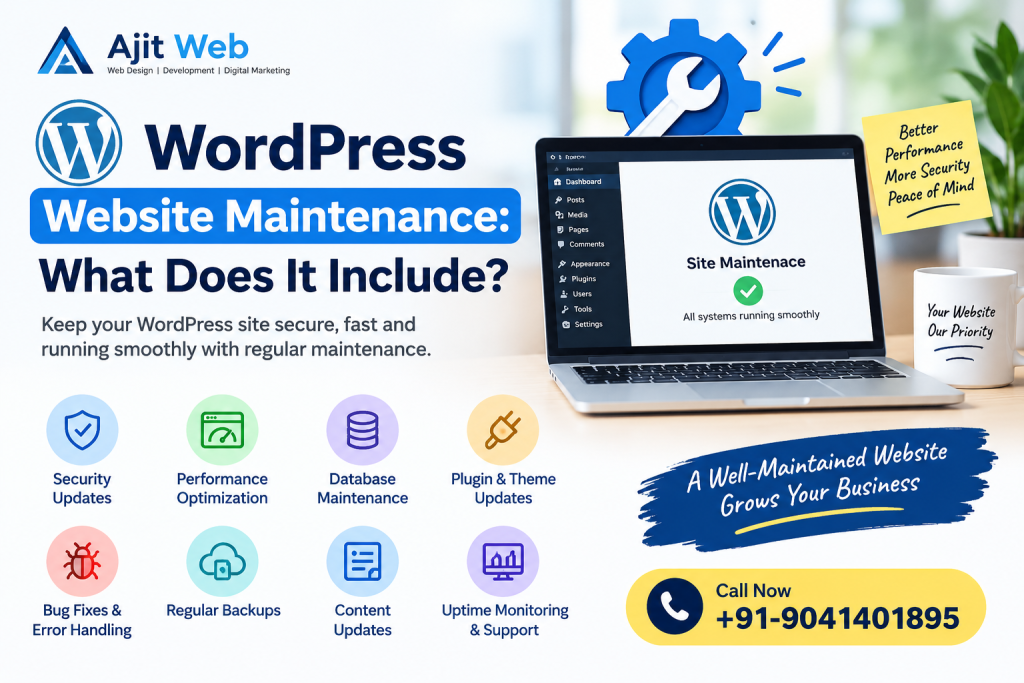
Creating a WordPress website is an important step for any business, but keeping it secure, fast, and up to date is equally important. Many business owners focus on website design and development but forget about regular maintenance after the website goes live.
Without proper maintenance, a WordPress website may experience security problems, slow loading times, broken links, plugin conflicts, or unexpected errors. These issues can affect the visitor experience and make it harder for customers to use your website.
WordPress website maintenance involves regularly checking, updating, securing, and improving your website to keep it working properly.
In this guide, we will explain what WordPress website maintenance includes, why it matters, and which tasks should be performed regularly.
What Is WordPress Website Maintenance?
WordPress website maintenance is the ongoing process of keeping a WordPress website secure, updated, functional, and reliable.
It includes technical tasks such as updating WordPress software, checking plugins, backing up website files, monitoring security, and testing important website features.
Maintenance can also include performance improvements, broken link checks, database optimisation, and troubleshooting technical issues.
For example, if you operate a business website that receives customer enquiries, a broken contact form could cause you to miss potential customers. Regular maintenance helps identify and fix problems before they create bigger difficulties.
The exact maintenance requirements depend on your website’s size, complexity, traffic, and functionality.
1. WordPress Core, Theme, and Plugin Updates
One of the most important WordPress maintenance tasks is keeping your website software updated.
WordPress regularly releases updates that may include security fixes, bug fixes, performance improvements, and new features. Themes and plugins also receive updates from their developers.
Regular updates help your website remain compatible with supported software and reduce the risks associated with outdated components.
WordPress updates generally include:
- WordPress core updates
- Theme updates
- Plugin updates
- Compatibility checks
- Testing important website features after updates
However, updates should not always be installed without preparation. On a complex website, an update can occasionally cause compatibility issues.
A safer process includes creating a backup, reviewing important updates, testing where practical, and checking the live website afterwards.
2. Regular Website Backups
A website backup is a copy of your website’s files and database that can be used to restore information if something goes wrong.
Websites can experience problems due to accidental changes, server failures, security incidents, or unsuccessful updates. Having a recent backup makes recovery easier.
A WordPress backup typically includes:
- Website files
- Images and uploaded documents
- WordPress database
- Posts and pages
- Website settings and other stored content
Backup frequency should depend on how often your website changes. A frequently updated website or online store may require daily backups, while a simple website with infrequent changes may need a different schedule.
It is also important to store backups securely and test restoration periodically. A backup is only useful if it can actually be restored.
3. WordPress Website Security
Website security is another essential part of maintenance.
WordPress websites can be exposed to risks such as compromised passwords, vulnerable plugins, outdated software, and malicious login attempts.
A maintenance plan should include appropriate security checks and preventive measures.
Common security tasks include:
- Updating WordPress, themes, and plugins
- Using strong passwords and secure administrator accounts
- Enabling two-factor authentication where appropriate
- Monitoring suspicious login activity
- Scanning for malware
- Reviewing user permissions
- Using HTTPS with a valid SSL certificate
- Removing unused themes and plugins
Security monitoring can help identify problems, but no website can be guaranteed completely secure.
If your website handles customer information or online payments, security should receive particular attention.
4. Website Speed and Performance Optimisation
Website speed affects how easily visitors can browse your pages. Slow-loading websites can frustrate users, especially those visiting from mobile devices or slower internet connections.
Regular maintenance can help identify performance problems and improve loading times.
Performance tasks may include:
- Optimising image sizes
- Removing unnecessary plugins
- Reviewing caching settings
- Checking server response times
- Cleaning unnecessary database records
- Reducing excessive scripts and styles
- Checking mobile performance
- Monitoring Core Web Vitals
For example, a business website containing large, uncompressed images may take longer to load. Optimising those images can reduce page size and improve the browsing experience.
Not every website needs every optimisation technique. The best approach is to measure performance first and make changes based on the results.
5. Website Error and Broken Link Checks
Broken links and website errors can prevent visitors from finding important information.
A broken link may lead to a missing page, while a malfunctioning form may stop customers from submitting enquiries.
Regular website checks should cover:
- Broken internal links
- Missing pages and 404 errors
- Incorrect redirects
- Contact forms
- Navigation menus
- Images that fail to load
- Important buttons and calls to action
- Checkout or booking functionality, where applicable
For a service-based business, checking contact forms and phone links is particularly important.
For an online store, product pages, shopping cart functions, checkout, and payment workflows should also be tested carefully.
6. Database Cleaning and Optimisation
WordPress stores much of its website content and configuration in a database. Over time, the database may accumulate unnecessary information.
Depending on how the website is used, this can include old post revisions, expired temporary records, and spam comments.
Database maintenance may involve:
- Removing unwanted spam comments
- Reviewing old post revisions
- Cleaning expired transients where appropriate
- Checking database health
- Optimising database tables when necessary
Database cleaning should be performed carefully, with a backup available beforehand.
Removing data without understanding its purpose can cause problems. A good maintenance process focuses on safe, useful optimisation rather than deleting information unnecessarily.
7. Website Content and Image Checks
Website maintenance is not only about technical updates. Your content should also remain accurate and useful.
Outdated business information can confuse visitors and affect their experience.
Content maintenance may include:
- Updating service descriptions
- Correcting outdated contact information
- Replacing old photographs
- Checking pricing and business hours
- Reviewing important landing pages
- Fixing spelling and formatting errors
- Updating old blog articles when necessary
For example, if your business introduces a new service, your website should reflect that change.
Keeping content current helps visitors understand what your business offers and how they can contact you.
8. SEO Health Monitoring
Search engine optimisation is another area that can benefit from regular website maintenance.
Technical issues, missing metadata, broken links, and incorrect indexing settings may affect how search engines discover and understand your pages.
SEO maintenance can include:
- Checking page titles and meta descriptions
- Reviewing XML sitemap availability
- Checking robots.txt and indexing settings
- Monitoring Google Search Console reports
- Identifying broken internal links
- Checking canonical tags where relevant
- Reviewing mobile usability and page performance
- Updating outdated content when it is useful to visitors
For local businesses, maintaining accurate business information and relevant service pages can also support local search visibility.
SEO maintenance does not guarantee higher rankings. It helps keep the website technically healthy and supports a broader SEO strategy.
9. Website Uptime and Availability Monitoring
Your website needs to be accessible when customers want to use it.
Uptime monitoring checks whether a website is responding and can alert you when an outage is detected.
A maintenance service may include:
- Monitoring website availability
- Checking server-related errors
- Reviewing SSL certificate status
- Investigating downtime
- Checking hosting resource usage
- Coordinating with the hosting provider when necessary
For example, if your website becomes unavailable during a marketing campaign, potential customers may be unable to access your services.
Monitoring helps detect these problems sooner, although it cannot prevent every outage.
10. Contact Forms, Email, and Business Functionality
Many WordPress websites depend on forms and integrations to generate leads or deliver services.
A website may appear normal while an important function is no longer working correctly.
Maintenance checks should cover the features that matter most to your business, such as:
- Contact and enquiry forms
- Business email notifications
- WhatsApp links
- Appointment booking
- Customer registration
- Payment gateway connections
- Product ordering and checkout
- Third-party API integrations
For an eCommerce website, maintenance should also include appropriate checks of order notifications, stock information, shipping settings, and payment processes.
Testing these functions helps reduce the chance of losing enquiries or disrupting customer transactions.
11. Mobile and Browser Compatibility Testing
Customers may visit your website using different phones, tablets, browsers, and screen sizes.
A website that works correctly on one device may have display or functionality issues on another.
Periodic compatibility testing can include:
- Checking mobile navigation
- Testing buttons and forms
- Reviewing page layouts
- Checking text readability
- Testing important pages in common browsers
- Confirming that images fit different screens
This is particularly important after major theme changes, redesigns, plugin updates, or new feature installations.
A consistent experience makes it easier for visitors to find information and use your website.
12. WordPress Maintenance Reports
If you hire a website maintenance service, regular reports can help you understand what work has been completed.
A maintenance report may include:
- Updates installed
- Backup status
- Security checks performed
- Website availability issues
- Performance observations
- Errors discovered and fixed
- Outstanding recommendations
Reports are especially useful for businesses that do not have an in-house technical team.
They provide a clearer picture of the website’s condition and help you plan future improvements.
How Often Should a WordPress Website Be Maintained?
The frequency depends on the website and the risks associated with its functionality.
Here is a practical maintenance schedule:
| Maintenance Task | Suggested Frequency |
|---|---|
| Security alerts and critical issues | Monitor regularly; act promptly |
| Website backups | Daily or weekly, depending on changes |
| WordPress, theme, and plugin updates | Review regularly and test before major changes |
| Contact form testing | Monthly and after relevant changes |
| Broken link checks | Monthly or periodically |
| Performance checks | Monthly or after major changes |
| Database review | Periodically, as needed |
| Content updates | Whenever information changes |
| Full website review | Quarterly or as required |
These are general guidelines, not fixed rules. An online store with daily orders needs more frequent checks than a small brochure website that rarely changes.
What Is the Difference Between WordPress Maintenance and Website Redesign?
WordPress maintenance and website redesign serve different purposes.
Website maintenance focuses on keeping the existing website secure, updated, functional, and reliable.
Website redesign involves changing the website’s appearance, structure, layout, or overall user experience.
For example, updating plugins, creating backups, and fixing broken forms are maintenance tasks. Rebuilding the homepage, changing the site’s overall design, or restructuring the entire website may be redesign work.
A website can require regular maintenance without needing a redesign. However, a redesign may become useful when the existing website no longer meets your business needs.
Should You Maintain Your WordPress Website Yourself or Hire a Professional?
The right option depends on your technical knowledge, available time, and website requirements.
If you have a simple website and understand WordPress, you may be able to handle routine tasks yourself.
However, professional support may be useful when your website has custom functionality, complex plugins, payment integration, or business-critical forms.
A professional maintenance service can help with updates, backups, security checks, troubleshooting, and performance improvements.
Before hiring a provider, ask which tasks are included, how frequently maintenance is performed, how emergency problems are handled, and whether additional development work costs extra.
WordPress Website Maintenance Services by AJIT WEB
AJIT WEB provides website design and development solutions for businesses that want a reliable online presence.
Regular maintenance can help keep a WordPress website up to date, secure, and functional while supporting your ongoing business requirements.
Depending on your website and service agreement, maintenance work may include:
- WordPress core, theme, and plugin updates
- Website backup management
- Security checks
- Website speed optimisation
- Broken link and error checks
- Contact form and functionality testing
- Technical SEO health checks
- Troubleshooting and website improvements
Every website has different needs, so the recommended maintenance tasks depend on its size, features, and technical setup.
If you are planning a new business website or need help with your existing website, explore our Website Designing Services in Amritsar.
Contact AJIT WEB at +91-9041401895 to discuss your website requirements and ask about suitable maintenance options.
Conclusion
WordPress website maintenance is an ongoing responsibility that helps keep your website secure, updated, and useful for visitors.
It includes software updates, backups, security checks, performance optimisation, broken link checks, content reviews, and testing important website features.
The right maintenance schedule depends on how your website is used. A simple business website may require fewer routine checks than an online store or a website with complex integrations.
By maintaining your website regularly, you can reduce avoidable technical problems, improve the visitor experience, and keep your online business information accurate.
If you need help maintaining your WordPress website, contact AJIT WEB at +91-9041401895 to discuss your requirements.
Frequently Asked Questions (FAQs)
1. What does WordPress website maintenance include?
WordPress website maintenance includes software updates, backups, security checks, performance optimisation, broken link checks, database reviews, content updates, and testing important website functions.
2. Why is WordPress website maintenance important?
Maintenance helps reduce security risks, identify technical problems, keep website features working, and improve reliability. It also helps businesses keep their content and contact information accurate.
3. How often should a WordPress website be maintained?
WordPress websites should be monitored regularly. Backups, updates, and security checks should follow a schedule suited to the website’s activity and complexity. Critical security issues should be addressed promptly.
4. How much does WordPress website maintenance cost?
The cost depends on the website’s size, complexity, update requirements, security needs, and support level. Basic maintenance generally requires less work than maintaining a large eCommerce website or a site with custom functionality. Contact AJIT WEB for a quotation based on your requirements.
5. Can I maintain my WordPress website myself?
Yes. Website owners with suitable technical knowledge can manage backups, updates, security settings, and basic checks. However, complex errors, compatibility problems, and advanced security issues may require professional assistance.
6. Does WordPress maintenance improve website speed?
Maintenance can improve speed by identifying issues such as oversized images, unnecessary plugins, caching problems, and inefficient website resources. Results depend on the website’s existing condition and the improvements performed.
7. Are website backups included in maintenance?
Backups are commonly included in maintenance plans, but this varies by provider. Confirm the backup frequency, storage location, retention period, and restoration process before purchasing a service.
8. Does WordPress maintenance include SEO?
Some maintenance plans include basic technical SEO checks, such as reviewing indexing settings, broken links, metadata, and sitemap availability. Content creation, keyword research, and ongoing SEO campaigns may be separate services.
9. What happens if I do not maintain my WordPress website?
Without regular maintenance, a website may develop outdated software, security vulnerabilities, broken features, compatibility problems, or performance issues. Regular checks help identify these risks and address problems.
10. How can I get WordPress website maintenance services in Amritsar?
Contact AJIT WEB at +91-9041401895 to discuss your website, required maintenance tasks, and support needs. You can also visit our Website Designing Services in Amritsar page for more information.
Need help maintaining your WordPress website?
Contact AJIT WEB at +91-9041401895 to discuss your website maintenance requirements and keep your business website working smoothly.

